Robot Vacuums, Explained: Navigation, Mopping and What Is Worth Paying For
Prices range from a hundred dollars to well over a thousand. The gap is explained by three things: how the robot finds its way, how it avoids your socks and how much it empties and cleans itself.

- Navigation is the feature that matters most. Robots that map your home clean faster and miss less.
- A self-emptying dock turns a daily chore into a monthly one and is the upgrade most owners value.
- A robot maintains floors between proper cleans. It does not replace a full-size vacuum.
The promise of a robot vacuum is simple: floors that stay clean while you do something else. The reality depends heavily on which robot you buy, and on whether your home suits one.
The market is crowded and the terminology is dense. Underneath it, the differences come down to a few capabilities that are easy to understand once they are named.
How it finds its way
Navigation is the most important distinction between robots, and the main reason for the difference in price.
The simplest robots have no map. They travel in straight lines until they bump into something, then turn and try another direction. They clean a single room adequately, given enough time, and often miss patches.
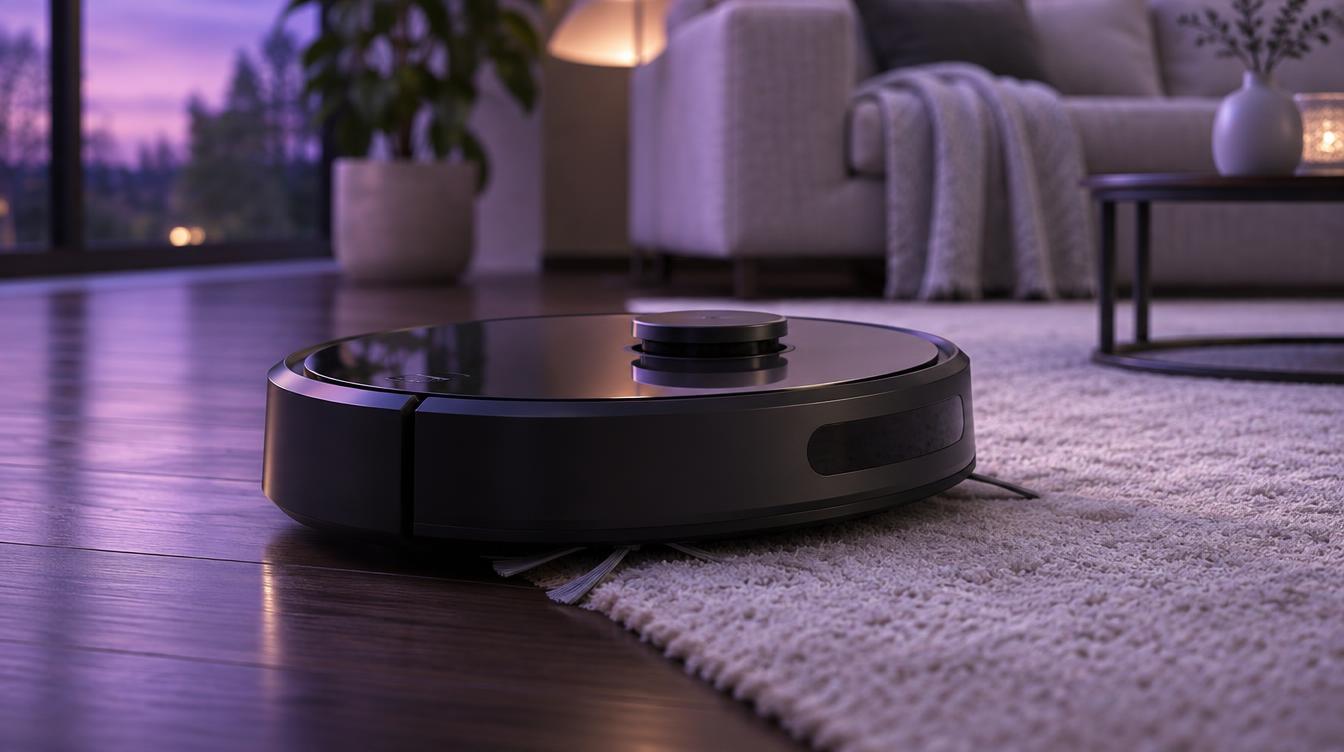
Mid-range robots use gyroscopes or a camera to track their position and clean in orderly rows. The best use a laser scanner, usually housed in a small turret on top, to build an accurate map of the home. They work in the dark, clean in efficient lines and know which rooms they have finished.
Why a map matters
A robot with a saved map can do things a mapless robot cannot. You can send it to clean the kitchen after dinner, draw a no-go zone around the dog's bowl or tell it to avoid a room entirely.
It also returns to its dock to recharge mid-clean and then resumes exactly where it stopped, which matters in larger homes.
Suction decides how well a robot cleans the floor it reaches. Navigation decides how much floor it reaches.
Avoiding obstacles
Mapping tells a robot where the walls and furniture are. It does not tell it about the charging cable or the sock that appeared this morning.
More expensive models add a front camera or 3D sensor to recognise and steer around small objects. This is the feature that makes it possible to run the robot without tidying first, and it matters most in homes with children or pets.
Recognition is good and not perfect. Thin cables and pet accidents remain the classic hazards, so read reviews that test these specifically if either applies to you.
Suction and brushes
Manufacturers quote suction in pascals. As with cordless vacuums, the figures are measured differently by each brand and are a rough guide at best.
The brush design matters just as much. Rubber rollers resist tangling with long hair better than bristle brushes. Two counter-rotating rollers generally pick up more on carpet than one.
The dock
The base station is where the robot charges. On more expensive models it does much more.
- Self-emptying: the dock sucks the dust from the robot into a larger bag or bin, which needs changing every few weeks.
- Mop washing: the dock rinses and sometimes dries the mop pads.
- Water refilling: the dock tops up the robot's water tank.
A self-emptying dock is the upgrade most owners say they would not give up. Without it, the robot's small bin needs emptying after almost every run.
Mopping
Many robots now mop as well as vacuum. The quality varies widely.
The simplest drag a damp cloth behind them, which wipes up light dust and little else. Better systems use vibrating or spinning pads that apply pressure and scrub.
| Mopping type | What it does | Best for |
|---|---|---|
| Dragged damp pad | Light wipe | Dust on sealed hard floors |
| Vibrating or spinning pads | Scrubs light stains | Kitchens and hallways |
| Pads that lift or detach on carpet | Avoids wetting rugs | Homes with mixed floors |
| Dock that washes pads | Keeps pads clean between runs | Daily mopping with little effort |
No robot mop replaces a proper wash for dried-on spills. Think of it as maintenance between cleans.
Will it suit your home?
Robots do best in homes with mostly hard floors or low-pile carpet, on a single level, with clear floors.
- Thresholds higher than about three quarters of an inch can stop many models.
- Thick, shaggy rugs can trap them or tangle the brushes.
- Dark carpets can confuse the sensors that detect stairs on some models.
- Multi-storey homes need the robot carried between floors, though most can store several maps.
Check the height under your sofa and bed as well. A robot with a laser turret is taller and may not fit beneath low furniture.
The app
Mapped robots are controlled from a phone app. A good one lets you name rooms, set schedules, adjust suction and water by room and see where the robot has been.
A poor one is a daily irritation. Read recent user reviews of the app itself, not only the robot.
Privacy
Robots with cameras see the inside of your home, and mapped robots store a floor plan. Look at how the manufacturer handles that data: whether images are processed on the device, whether maps are stored in the cloud and what the privacy policy permits.
If that concerns you, laser-only models without a camera collect far less.
Maintenance
Every robot needs a few minutes of care. Empty the bin or change the dock bag, rinse the filter as directed, and pull hair from the brushes and wheels every week or two.
Wipe the sensors occasionally. Most navigation problems are caused by a dusty sensor.
Before buying, check that replacement filters, brushes and batteries are sold and what they cost.
How much to spend
Budget robots without mapping suit small flats and single rooms. The middle of the market, with laser mapping and a self-emptying dock, is where most households find the best value.
The most expensive models add better obstacle avoidance and docks that manage the mop. They are worth it if you want daily mopping with no involvement, and unnecessary otherwise.
The honest expectation
A good robot vacuum will keep your floors consistently presentable and cut how often you need to get the big vacuum out. It will not do stairs, corners or deep-pile carpet, and it will occasionally get stuck under a chair.
Buy the navigation and the dock. Everything else is detail.
Frequently asked questions
Are robot vacuums worth it?
For most homes with mainly hard floors or low-pile carpet, yes. Running one daily keeps dust, crumbs and pet hair under control with almost no effort. They are less effective on thick carpet and cannot clean stairs, so most households keep a conventional vacuum as well.
Do robot vacuums work on carpet?
They work well on low and medium-pile carpet and rugs. Performance drops on thick or shaggy carpet, where a full-size vacuum cleans more deeply. Many models increase suction automatically when they detect carpet.
How long do robot vacuums last?
With regular maintenance, several years. Filters, brushes and side brushes are consumables that need periodic replacement, and the battery typically loses capacity after a few years. Models with replaceable batteries and readily available spare parts last longest.